
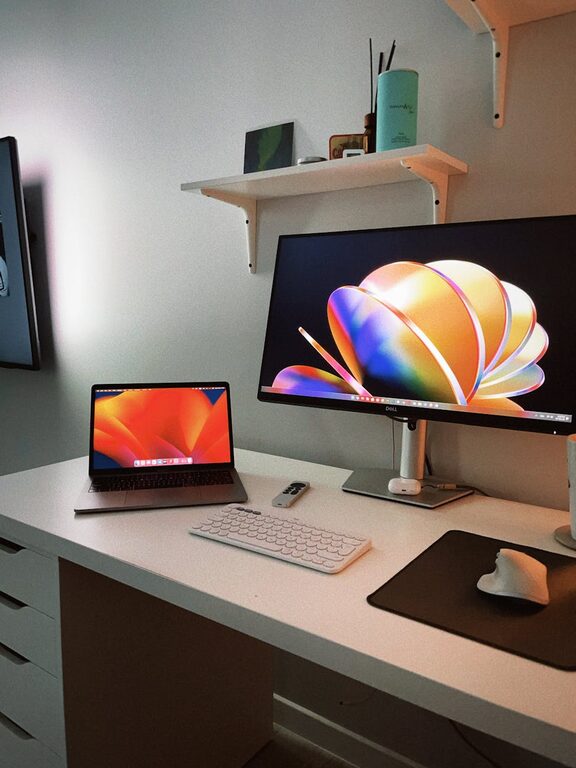
Creating an organised and productive home workspace is essential for making the most of your working hours, especially when working remotely. A cluttered or poorly arranged space can impact your focus and efficiency, while a tidy, well-designed area encourages concentration and creativity. In this post, we’ll explore simple, practical ways to set up and maintain a home workspace that supports your productivity.
Why an Organised Home Workspace Matters
When your work environment is organised, it reduces distractions and saves you time spent looking for things. It also creates a clear boundary between work and relaxation areas, which is important for your mental well-being. Even small changes to your workspace can lead to better habits and increased output.
Choosing the Right Location
Find a Quiet Spot
Select a space in your home with minimal noise and interruptions. It could be a spare room, a corner of the living room, or even a nook by a window. The key is choosing a place where you feel comfortable but won’t be easily distracted.
Ensure Good Lighting
Natural light is ideal because it helps reduce eye strain and boosts mood. Position your desk near a window if possible. If natural light isn’t an option, invest in a good quality desk lamp with adjustable brightness.
Desk Setup and Organisation
Clear Surface, Clear Mind
Keep only essential items on your desk to avoid clutter. This typically includes your computer, a notepad, a pen holder, and maybe a plant or a personal item.
Use Organisers and Storage Solutions
Drawer organisers, desktop trays, and shelves can keep your supplies in order. Label boxes or files for quick retrieval of documents.
Cable Management
Use clips, ties, or a cable box to keep wires neat and untangled. This reduces mess and prevents distractions.
Ergonomics for Comfort and Health
Choose the Right Chair
An adjustable chair with good lumbar support helps prevent back pain. Your feet should touch the floor comfortably, and your knees should be at a right angle.
Position Your Screen Properly
Your monitor’s top should be at eye level to avoid neck strain. Keep the screen about an arm’s length away.
Take Regular Breaks
Stand up, stretch, or take short walks to avoid stiffness and maintain energy levels.
Digital Organisation
Use Digital Tools Wisely
Organise your files with clear folders and consistent naming conventions. Use apps or calendars to manage tasks and deadlines.
Minimise Digital Clutter
Delete unnecessary files and emails regularly. Unsubscribe from unwanted mailing lists to keep your inbox tidy.
Personalising Your Space
Adding a few personal touches can make your workspace inviting and motivating without causing distractions. A photo, a small plant, or a favourite mug can boost your mood.
Maintenance Tips
End-of-Day Tidy-Up
Spend a few minutes before finishing work to clear your desk and organise any papers. This helps you start fresh the next day.
Regular Decluttering Sessions
Set aside time weekly or monthly to sort through supplies and remove items you no longer need.
Review and Adjust
Periodically assess your setup and make changes based on what works best for you.
Additional Ideas for Boosting Productivity
– Play background music or white noise to improve focus if you enjoy sound while working.
– Keep a water bottle handy to stay hydrated.
– Use a timer or the Pomodoro technique to structure your work intervals.
Conclusion
Creating an organised and productive home workspace doesn’t require a complete overhaul. By focusing on key areas like choosing the right location, maintaining a tidy desk, creating ergonomic comfort, and organising both physical and digital materials, you can significantly improve your work experience. Regular maintenance and personal touches will help keep your space both functional and enjoyable over time.
Try these simple steps today and notice how an organised workspace can make your work-from-home days more productive and pleasant.