
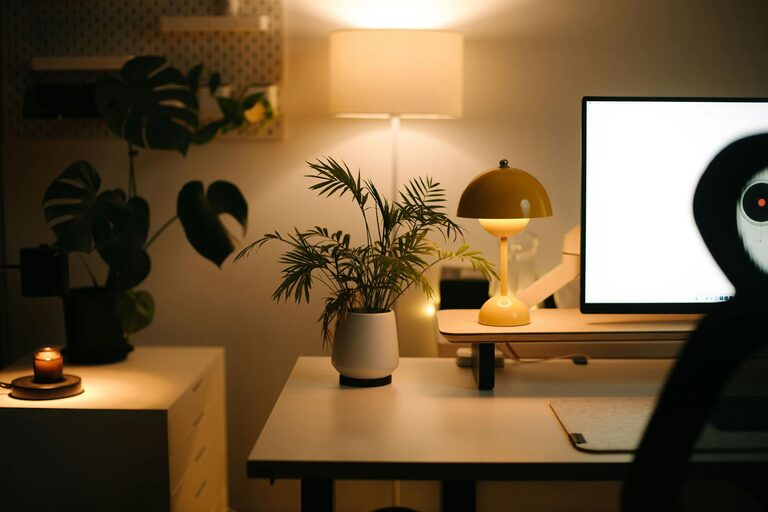
Creating a home office that is both relaxing and productive can significantly enhance your work-from-home experience. Striking the right balance between comfort and efficiency helps reduce stress and improves focus throughout the day. Whether you have a dedicated room or a small corner, these tips will guide you through designing a workspace tailored to your needs.
1. Choose the Right Location
Selecting the best spot for your home office is a crucial first step. Ideally, the area should be quiet and free from distractions.
– Natural Light: Position your desk near a window if possible. Natural light helps regulate your body clock and boosts mood.
– Away from Noise: Avoid high-traffic zones like the kitchen or living room to minimise interruptions.
– Dedicated Space: If space allows, dedicate an entire room to your office rather than sharing with other functions.
2. Invest in Comfortable and Functional Furniture
Your furniture choice directly impacts both comfort and productivity.
– Ergonomic Chair: Choose a chair that supports your back and encourages good posture.
– Desk Height: Ensure your desk height allows your arms to rest comfortably while typing.
– Adjustable Furniture: Consider adjustable desks that allow you to switch between sitting and standing.
3. Keep Organised with Smart Storage Solutions
Decluttering your workspace helps maintain focus and reduces stress.
– Shelving Units: Use wall-mounted shelves to keep books and supplies off the desk surface.
– Drawer Organisers: Keep small items like stationery neatly arranged.
– Cable Management: Use clips or cable ties to prevent wires from tangling.
4. Personalise Your Space Sparingly
Adding personal touches makes your office feel inviting, but avoid overcrowding.
– Plants: Small indoor plants can improve air quality and add a calming element.
– Artwork: Simple, inspiring artwork can motivate without distracting.
– Photos: A few family pictures or mementos can provide comfort.
5. Control Lighting and Temperature
Maintaining a comfortable environment helps you stay productive.
– Layered Lighting: Combine overhead lights with desk lamps for adequate illumination.
– Adjustable Brightness: Use dimmable lights or task lighting to reduce eye strain.
– Temperature Control: Keep the room at a comfortable temperature, using fans or heaters as needed.
6. Minimise Distractions
Creating boundaries around your workspace encourages focus.
– Noise Control: Use noise-cancelling headphones or play instrumental music.
– Limit Electronic Interruptions: Turn off unnecessary notifications on devices.
– Clear Work Zones: Keep non-work-related items out of your immediate area.
7. Incorporate Movement and Break Areas
Sitting all day can be tiring and counterproductive.
– Stretch Breaks: Schedule regular short breaks to stretch or walk around.
– Relaxation Corner: If space permits, add a small comfy chair where you can take quick mental breaks.
8. Use Technology to Enhance Efficiency
Organise your digital workspace as carefully as your physical one.
– Dual Monitors: Consider using two screens for multitasking.
– Keyboard and Mouse: Invest in ergonomic peripherals to reduce strain.
– Productivity Apps: Use apps and tools to manage tasks and time effectively.
9. Maintain a Consistent Routine
Your environment works best when paired with good habits.
– Set Work Hours: Establish clear start and finish times.
– Morning Ritual: Begin your day with a routine to prepare mentally.
– Regular Review: Periodically assess and adjust your workspace as needs evolve.
—
Designing a home office that promotes both relaxation and productivity doesn’t have to be complicated. By thoughtfully arranging your space and adopting healthy habits, you can create an environment that supports your work goals and well-being. Remember, small changes can make a big difference in your day-to-day work life at home.